This article was revised on 08.01.2026 and checked for up-to-dateness.
Whether coordinating service providers, ensuring security or planning investments – facility managers have their hands full. Keeping an overview is often a challenge. Fortunately, there is digital support in the form of facility management software.
But which tool is best suited to your own challenges and specific tasks? Our extensive comparison of facility management software provides the answer. Based on our market experience, we have selected seven providers that make everyday life noticeably easier for facility managers.
Best Facility Management Software in 2026: Key Solutions Compared
In our major comparison of facility management software, we focus on seven FM software products that cover the most important tasks of modern facility management and are established in the German-speaking market:
- Wowflow
- Planon
- FMX
- Net House Software
- Facility (24)
- Wave Facilities
- eTask
The selection is based on our many years of experience as facility managers. In our comparison, we therefore only list solutions that create real added value in the day-to-day work of facility managers and service providers. More detailed information on the provider selection can be found at the end of the article.
Let’s now take a closer look at the individual solutions:
Wowflow - Modern facility management software
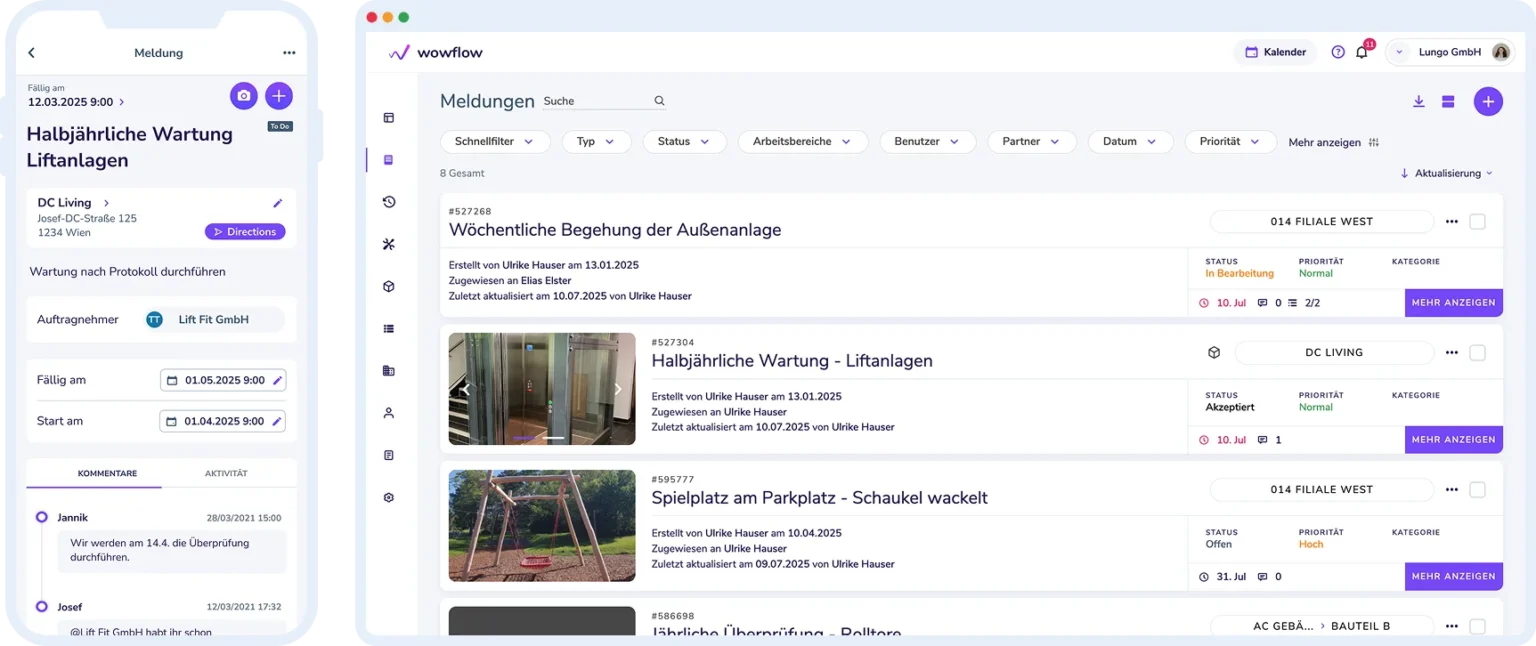
Wowflow is not a typical, plan-based CAFM software. Instead, the creators focus on the operational aspects of facility management. The aim: to offer simple solutions that work smoothly.
On the one hand, Wowflow delivers an intuitive user experience, making the facility management software easy to use for both managers and field teams—whether on desktop or mobile. At the same time, its core features and modules are continuously refined and optimized to meet the demands of modern facility management.
The software can be used to prioritize, assign and track work for optimal resource utilization. It offers photo documentation, seamless email integration, and a highly rated app. Service providers receive detailed job descriptions – regardless of whether they have their own account with Wowflow.
There is an integrated calendar for planning maintenance tasks. The software also includes other useful functions such as an overview of loaned devices and for key management.
Main functions:
- Order management and ticketing: Projects are collected in one place so that their status can be tracked in real time.
- Asset management: Assets can be recorded via an app to create maintenance plans.
- Device and key management: Wowflow enables the tracking of loaned items.
- Maintenance planning and servicing: Planned maintenance can be automatically delegated to internal technicians or service providers, and their implementation monitored.
- Photo documentation and inspection: Photos, checklists and documents can be specifically requested and stored, making collaboration easier.
- Service provider platform: Orders can be sent to the responsible service providers by e-mail or QR code.
- Checklists and forms: Forms and checklists can be flexibly created according to inspection or maintenance requirements.
- Analytics and reporting: Reports on buildings, tasks, service providers and more are created with just a few clicks and saved as a PDF or uploaded to the ERP.
Wowflow in use:
Advantages of Wowflow:
- Quick implementation: The software is ready for use in the company after two weeks.
- A highly praised support team that treats every customer as a real person and not just a ticket number.
- One of the most affordable solutions with transparent and flexible pricing: The Manager license is available from 99 euros. Additional licenses can be booked as required.
- The mobile app receives predominantly positive ratings in the stores (Google: 4.2, Apple: 4.4). Acceptance rates for its use in companies are up to 90%.
- The intuitive app covers all the functional areas contained in the software. The information you need is therefore always to hand in your pocket.
- Ten different languages are supported, including German, English, Polish, Turkish and Romanian.
- QR codes can be created for buildings or systems to automatically collect maintenance requests in Wowflow.
- External service providers can be integrated into the platform at no additional cost. They do not even need a Wowflow account, which means that the acceptance rate is almost 100 percent.
- Wowflow offers companies free access to test the software in operation for 14 days.
- Email integration enables automatic synchronization of messages with Wowflow tasks so that everything is stored in one place.
Disadvantages of Wowflow:
- Wowflow does not have CAFM certification. One reason: it lacks software modules such as spatial planning or energy management.
- Hosting takes place in the cloud. There is no on-premise version. However, a private cloud solution can be set up.
Wowflow is a modern facility management software that focuses on the core processes. This makes it quick to implement and intuitive to use. The focus is on mobile working with smartphones and tablets.
Wowflow offers a free 14-day trial access and comprehensive information on the website.
- For companies looking for lean software with a top price-performance ratio.
- Can be operated in the browser or via mobile app.
- Trusted rating: 4.7
(90 reviews)
Planon
The Planon Group is one of the world’s largest providers of IWMS and facility management software and operates offices in 16 countries with over 1,000 employees:
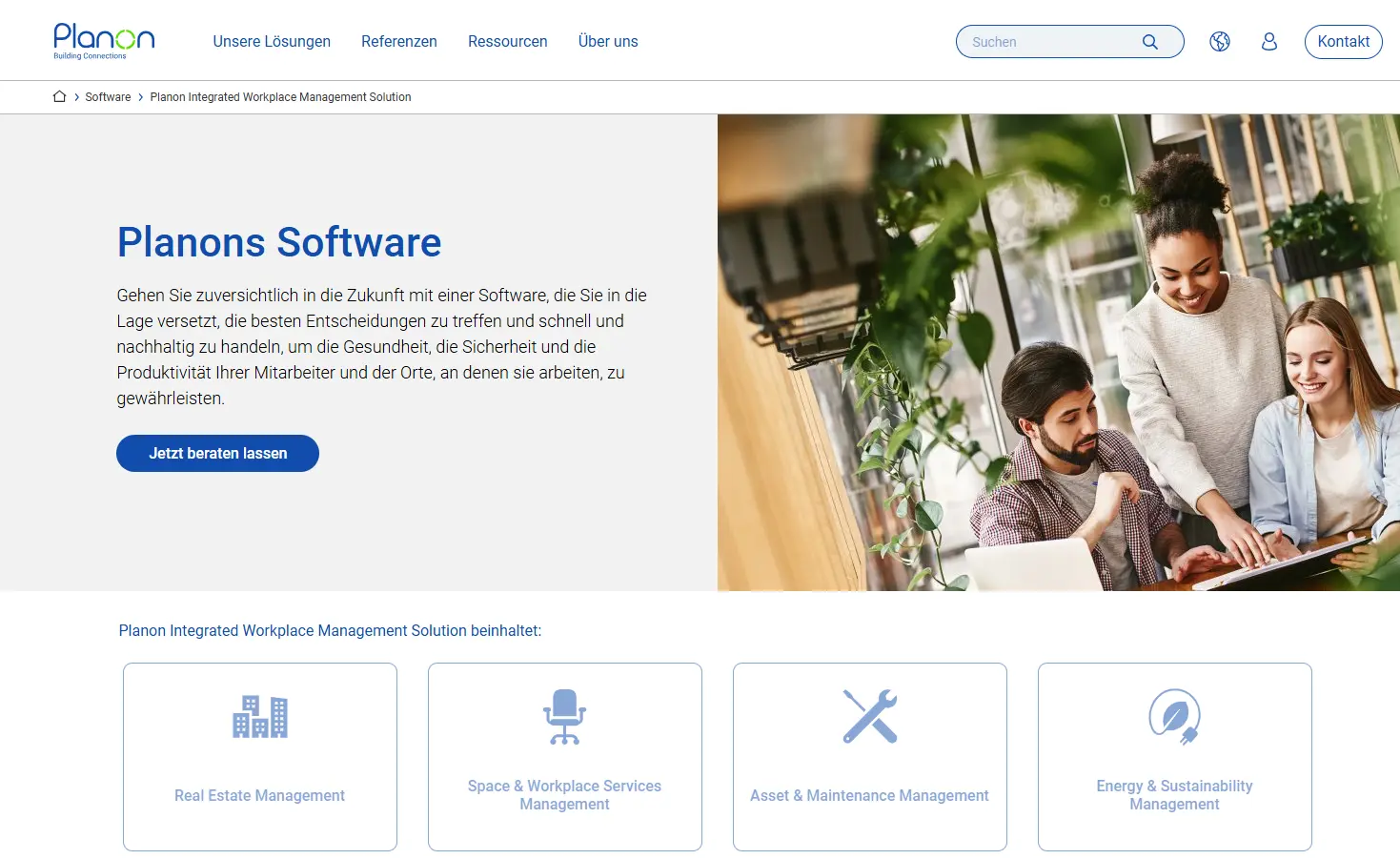
The company wants to eliminate data silos by creating a standardized information platform. To this end, it developed the Planon platform. It connects all those involved in facility management and supports areas such as real estate, workplace, maintenance and sustainability management. Planon thus goes beyond the functional scope of CAFM software. The global market leader for facility management software has implemented the platform for over 3,250 customers to date.
Main functions:
- Space & Workplace Services Management: This can be used to optimize space utilization, occupancy planning and workplace management.
- Asset & Maintenance Management: To ensure regular operation, this tool can be used to manage the entire life cycle of systems.
- Real Estate Management: This module allows you to strategically manage your real estate portfolio and keep an eye on overall costs.
- Energy & Sustainability Management: With Planon, energy consumption and CO2 footprint can be recorded and improved.
- Service management: This includes classic facility management processes such as helpdesk and ticket systems.
- Mobile & IoT integration: This feature allows real-time data such as room occupancy, temperature, air quality or energy consumption to be automatically recorded in the system.
Advantages of Planon:
- The Planon platform provides a “single source of truth”.
- Planon integrates seamlessly into SAP Contract and Lease Management.
- The extensive software modules are well coordinated with each other, so that almost all aspects of facility management are covered by a single tool.
- The software is GEFMA 444-certified.
- Planon is available as a cloud and on-premise version.
Disadvantages of Planon:
- The large number of functions can be overwhelming, especially at the beginning.
- The complexity significantly increases the cost and duration of implementation, as the help of a Planon consultant is mandatory.
- It is not possible to test the software via the website.
- There is no transparency with regard to costs.
- The software focuses on desktop applications, which is reflected in an outdated app for smartphones and tablets.
Planon is the global market leader and offers a wide range of IWMS and CAFM functions. The basis for this is the Planon platform, which enables company-specific customization of the tools.
It is not possible to request a test account via the website.
- Particularly suitable for global corporations and companies with diverse facility management tasks.
- The software can be operated locally or in the cloud.
- Trusted rating: 3.3
(49 reviews)
FMX
FMX stands for Facilities Management Express and is a cloud-based CAFM system from the USA:
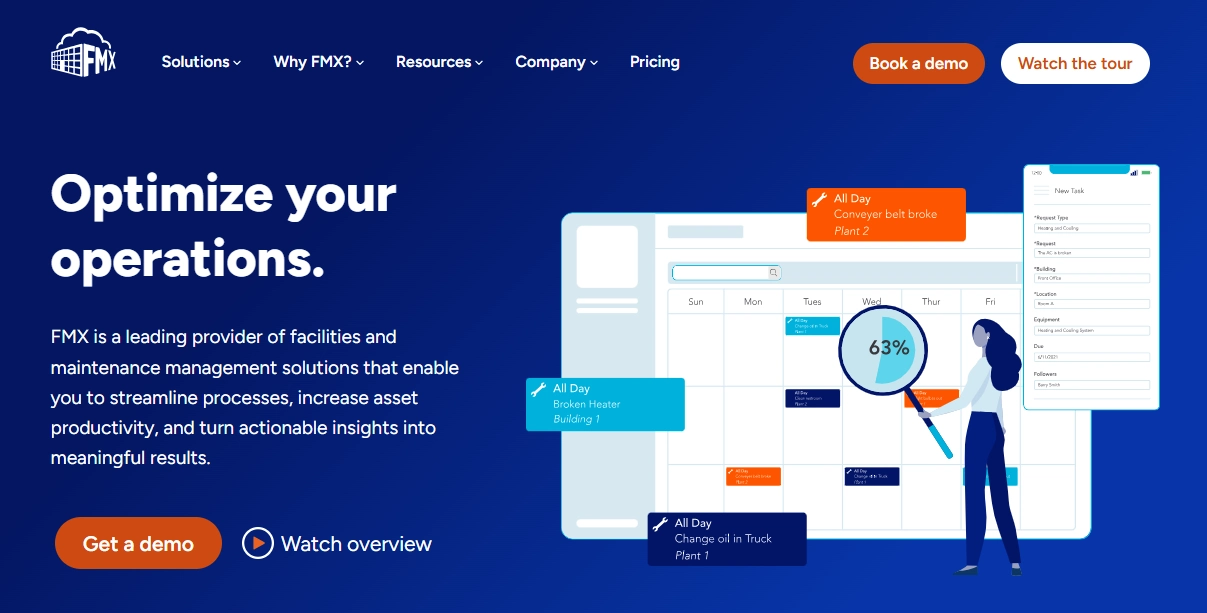
The software focuses on educational institutions and public authorities. This is reflected in features such as reporting on bus accidents and the bundling of cleaning requests.
In the USA, over 2,600 schools, universities and local authorities use FMX. The software is considered the industry leader in the education sector there. It is not as widespread in the EU. In order to gain a foothold in the European facility management market, the company is focusing on cooperation with regional partners and local adaptations, particularly in terms of data protection.
Main functions:
- Order management and ticketing: Work orders are created and managed centrally and forwarded to the relevant service providers.
- Project management: FMX offers interactive Gantt-style diagrams to visualize tasks, schedules and milestones.
- Inventory management: The consumption of spare parts can be recorded centrally in order to monitor budgets and initiate repeat orders directly with suppliers.
- Maintenance planning and servicing: Upcoming maintenance work can be planned and its proper implementation checked using checklists.
- Reservation management: Whether space, tools or vehicles – FMX can be used to search for available resources in order to reserve them.
- Capital planning and accounting: Costs for maintenance and renewal can be calculated and tracked.
- Interactive map: Buildings, storeys and users are recorded on maps for a better overview and planning.
- Analytics and reporting: Numerous reports are available for evaluation and better planning of operating costs, for example.
- API integration: The software can be connected to other tools to ensure a continuous flow of data and communication for the administration and management of properties.
Advantages of FMX:
- By focusing on schools and higher education institutions, the software reliably reflects their requirements.
- Thanks to the cloud-based architecture and the mobile app, it can be used from any location without the need for complex local installation.
- The modular structure of the software enables flexible adaptation to individual requirements.
Disadvantages of FMX:
- The company is based in the USA, which may give rise to data protection concerns.
- The provider does not offer any price transparency on the website.
- The platform is exclusively web-based. There is no on-premise version.
- FMX is not officially GEFMA 444-certified CAFM software.
FMX is a software designed for schools and universities. It therefore contains a range of functions that are particularly relevant for these institutions.
FMX offers interested parties a demo version. There is also a product tour on the website.
- For institutions and companies in the education sector.
- Can be operated in the browser or via mobile app.
- Trustpilot rating: 4.5
(38 reviews)
Net-Haus (hausmanager and TechnikerApp)
Net-Haus is an established provider of facility management software: the company has been in existence for 25 years:
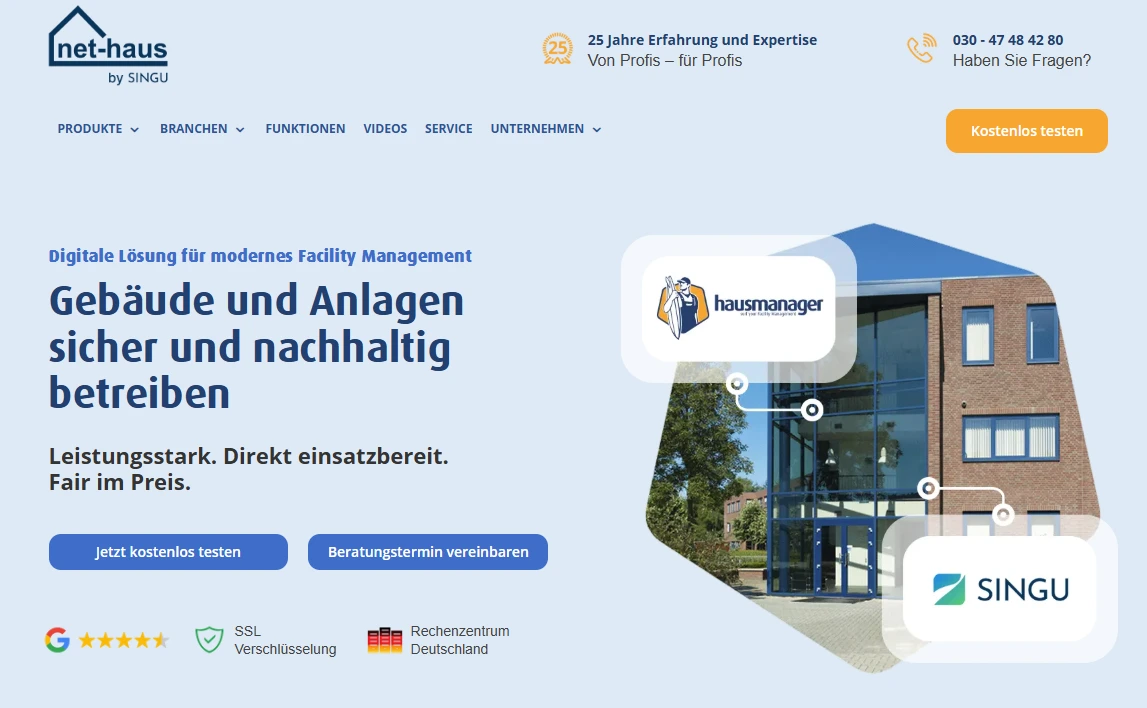
It launched its first web-based building management software hausmanager in 2004. The TechnikerApp followed four years later. This year, Net-Haus was acquired by Polish CAFM provider Singu, which should further strengthen its innovative power.
According to the company, more than 400 companies are using hausmanager and around 4,500 technicians work with the TechnikerApp every day. The software primarily supports technical building management and offers functions for job planning, communication and service documentation.
Main functions:
- Order management and ticketing: projects can be created centrally, tracked and automatically assigned to the right employee or colleague.
- System management: Systems and equipment are specifically assigned to a room or building and provided with a QR code. All the necessary information can be quickly called up using a smartphone camera.
- Consumption meter: This function allows you to conveniently record meter readings via the app.
- Time recording: The app can be used to document working times per employee and project.
- Evidence and protocols: A PDF document serves as proof of performance and is filed on a task-related basis.
- Quality control (optional): The quality of the services provided can be checked using individual checklists.
- Checklist templates according to VDMA 24186 (optional): The list compiled by the German Engineering Federation helps to optimize maintenance.
- Invoice creation (optional): Individual invoices for services rendered and collective invoices for service providers can be created and sent by email with just a few clicks.
Advantages of Net-Haus:
- The hausmanager software and the associated technician app can be tested free of charge for 30 days.
- The solution can be operated in the cloud and locally. This means that different requirements can be met in terms of data protection, service level and billing.
- The software can be adapted to specific challenges by adding additional functions.
- hausmanager offers a variety of interfaces to other programs so that information is transferred seamlessly and does not get lost.
Disadvantages of Net-Haus:
- Individual reviews point to inadequate support. For example, complaints or errors in the software are allegedly not rectified immediately.
- The design of the web application and app sometimes looks outdated.
- Following the takeover by Singu, it is unclear how the company will develop in the coming years.
- Net-Haus is positioned in the field of technical building management. Typical CAFM software modules such as room planning and CAFM certification are missing.
- No prices are stated on the website.
Net-Haus is software designed for technical building management. The scope of services can be extended with optional features such as invoicing.
Net-Haus offers the opportunity to test the software for 30 days. There is also the option of a free online presentation.
- For building managers, janitor services, property managers and social services.
- Available in the browser and via mobile app or as a locally installed program.
- Trusted rating: 3.7
(16 reviews)
facility (24)
According to the developers, the facility (24) management software is the most widely used cloud CAFM system in the DACH region:
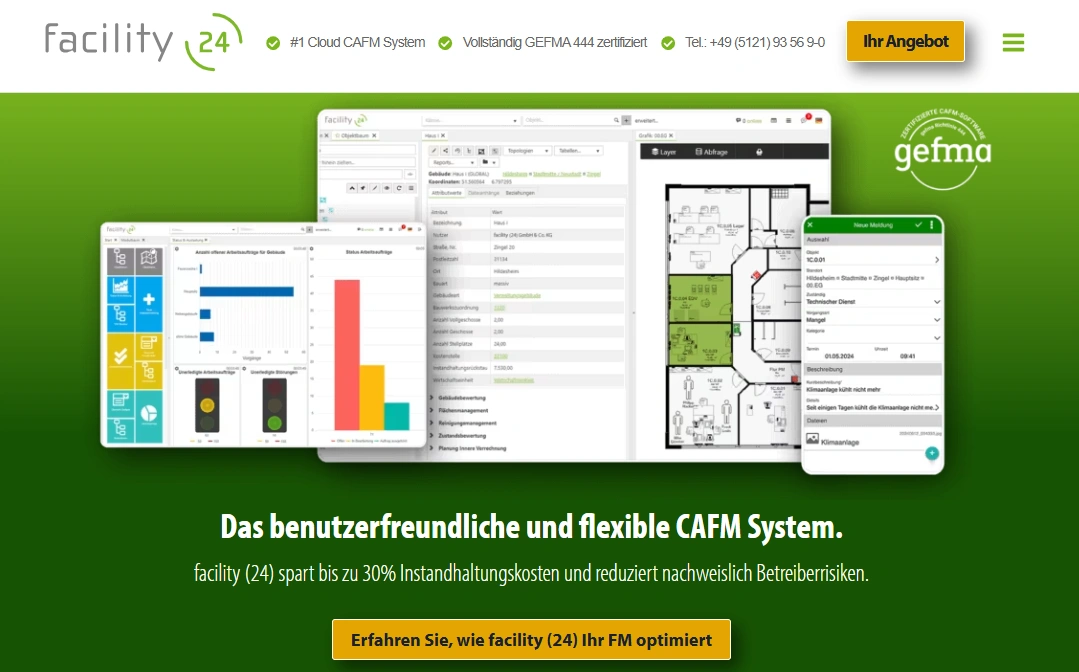
It offers a wide range of functions and is GEFMA-certified. The solution has a modular structure: The cornerstone is the “Space, cleaning and property management” module. Its functions are designed to support medium-sized companies in managing their own properties. Further specialist modules build on this. The system can thus be flexibly expanded and tailored to the various requirements of a company.
Main functions:
- Area, cleaning and property management: This basic module provides an overview of your own properties with a 360° view and geographical location.
- User Help Desk module: This additional function with app serves as a central option for recording and processing faults and concerns.
- Maintenance/TGA” module: All functions for maintenance work such as calendars, recording times and materials as well as reports are bundled here.
- Energy management module: This tool is used to plan, control and monitor energy consumption. This includes the recording of meter readings and support for ESG reporting.
- CAD component: This module enables the precise planning and evaluation of rooms depending on the type of use.
Advantages of facility (24):
- facility (24) is GEFMA 444-certified and offers a wide range of CAFM features.
- According to the company, the software is implemented in less than ten weeks in 80 percent of cases – an above-average speed.
- The software offers interfaces to SAP, ERP, GLT, DMS and more, which guarantees a seamless flow of information.
- Thanks to the modular structure, the license costs adapt to the scope of use.
- The company’s many years of experience guarantee sound advice and a satisfactory service.
Disadvantages of facility (24):
- A low number of downloads in the Google Play Store indicates that the mobile app is not being used by customers.
- As with other GEFMA-certified software, the implementation and customization costs are higher.
- There is no option to run the software locally.
facility (24) is a cloud-based software with an on-demand service, which should enable faster implementation. Thanks to its modular structure, the CAFM system can be flexibly adapted to different needs.
A free trial account can be requested via the website.
- For companies with many properties and assets such as hospitals, financial service providers and supermarkets.
- Can be used on the desktop and to a limited extent as a mobile app.
- Trusted rating: 5.0
(14 reviews)
Wave Facilities (Loy & Hutz)
Loy & Hutz is a software manufacturer from Giessen that started out in the mid-1980s with a program for managing medical equipment in hospitals. The company now offers waveware:
This is a platform that can be used to create and adapt programs – without any programming knowledge. Over 2,700 predefined modules are available for this purpose. With wave Facilities, there is a facility management system based on the modular system that can be flexibly and individually tailored to your own needs.
Main functions:
- FM basis: The module offers a basic set of functions for facility management, such as the recording of all buildings and rooms. Appointments, events and projects can be assigned to them.
- Room & Space: Functions for effective space management are bundled here. Areas can be categorized according to DIN 277, recorded graphically and optimized economically.
- Ticket: This can be used to bundle, organize and monitor requests.
- Maintenance: The maintenance module can be used to manage, plan and optimize measures.
- REG-IS: This interface to current legislation supports the fulfillment of operator responsibility.
- Privacy Suite: This module helps to comply with GDPR regulations.
Advantages of Wave Facilities:
- Loy & Hutz can draw on a wealth of experience with well-known companies.
- Thanks to its modular structure and the building block principle, the software offers enormous flexibility.
- The GEFMA 444 certification confirms the broad scope of CAFM functions.
- The software offers a modern user interface for desktop and mobile.
- waveware offers a variety of interfaces that enable flexible integration into different IT landscapes.
Disadvantages of Wave Facilities:
- Higher costs must be expected for implementation, simply due to the consultation in advance and the necessary training of the responsible personnel.
- The software is not available as an on-premise version.
- The large number of selection and customization options can overwhelm inexperienced users.
Loy & Hutz is one of the leading CAFM software providers in the DACH region. Their platform solution, waveware, makes it possible to customize the functions and user interface of the modules.
A demo version and further information material can be requested via the website.
- For companies in various industries that want to adapt their processes quickly and individually.
- Can be used with PC, laptop, tablet and smartphone.
- Google rating: 4.9
(11 reviews)
eTask
The company eTask Immobilien Software offers a range of software products for the operation of real estate:
In addition to a CAFM program, this includes inventory and commercial management software.
A BIM methodology based on the open IFC standard is natively integrated into the FM software. In addition, eTask offers a modular, individually configurable platform with a wide range of functions – from asset management, ticket and maintenance management to cleaning and fleet management. The software is GEFMA 444 certified.
Main functions:
- Maintenance: The tool can be used to create maintenance plans and set up work processes centrally.
- Asset management: The module provides an overview of movable and immovable assets, their location and their value.
- Building Information Modeling (BIM): This function creates a digital twin during construction so that operation can be planned before completion.
- Cleaning management: Cleaning services are planned and managed from tendering to reporting.
- Relocation management: eTask supports large relocation projects with a centralized workflow.
- Fleet management: This module includes online vehicle bookings, data from leasing contracts and dates for inspections.
Advantages of eTask:
- The software is available as an on-premise and cloud version.
- eTask is GEFMA 444-certified and includes a wide range of CAFM functions.
- The solution can be seamlessly integrated into ERP systems such as SAP.
- eTask is modular, so that the software can be adapted to individual requirements and expanded step by step.
- Thanks to BIM integration, facility managers have a single source of truth.
Disadvantages of eTask:
- Some users find the user interface less modern or intuitive compared to other cloud-based systems.
- For new users, the multitude of functions and modules can be overwhelming at first.
- As is typical for GEFMA-certified solutions, the acquisition costs may be higher.
eTask is one of the few CAFM software solutions to provide a BIM function. It forms the basis for the visualization of processes in facility management.
eTask does not offer a free trial version via the website.
- For corporate groups and medium-sized companies in Germany and Austria.
- Provision in the cloud or on your own servers.
- Google rating: 4.8
(5 reviews)
Types of facility management software
Software products for facility management are all-in-one platforms and therefore planning, administration and communication tools. Users can prioritize and delegate tasks, streamline and document maintenance processes and proactively develop and implement strategies.
Despite these similarities, there are considerable differences between the individual tools. The following distinction has been established for systematization:
CAFM (Computer-Aided Facility Management)
Building management software as in our CAFM software overview offer comprehensive functions for holistic building management. Both technical and commercial, infrastructural and administrative tasks are covered – for example space management, room management, energy controlling, contract management and the coordination of service providers.
CAFM software solutions can be certified by the German Association for Facility Management (GEFMA). They are tested by experts using a fixed set of criteria.
CMMS (Computerized Maintenance Management System)
CMMS focuses on the technical maintenance of systems and buildings. Typical functions include maintenance planning, fault management, repair and spare parts management and the documentation of maintenance measures. CMMS is often a component of CAFM.
ERP (Enterprise Resource Planning)
ERP systems are comprehensive software products that map as many business processes as possible. Whether accounting, human resources or facility management – special function modules are provided for the specific requirements of the individual departments. At the same time, an ERP serves as a central database so that all business areas are digitally connected.
EAM (Enterprise Asset Management)
EAM focuses on the entire life cycle of a company’s facilities and assets. These software solutions go beyond operational maintenance and cover long-term aspects such as investment planning, risk and compliance management, energy efficiency and sustainability.
IWMS (Integrated Workplace Management System)
An IWMS integrates functions from CAFM, CMMS and EAM and expands them to include aspects of workplace design and sustainability. These include, for example, the management of office space and meeting rooms as well as the analysis of energy consumption, water consumption, waste production and CO₂ emissions.
The market for facility management software is enormous. It is therefore almost impossible to include all providers in a comparison. In order to make a suitable selection, we used the following criteria for this article:
- The software products examined belong to the CAFM, CMMS or IWMS category. ERP and EAM systems were excluded from the comparison, as their functional scope goes far beyond facility management.
- The programs are established in the DACH region. However, we did not base our selection on the number of users, but on our market experience. This means that we have included the providers that are repeatedly mentioned in discussions with customers and are comparable with each other in terms of their range of functions.
- The people behind Wowflow are former facility managers. We know what is important in the job. That’s why we’ve only included solutions in our comparison that make a real difference in the day-to-day work of facility managers thanks to their range of functions and features.
This selection ensures that the products are comparable with each other. At the same time, they cover a broad spectrum of customer requirements. Because one thing is certain: as diverse as the tasks in facility management are, the requirements for suitable software are just as varied.
Conclusion
The market for facility management software in 2026 clearly shows that there is no one perfect solution for everyone – but there is the right software for every requirement.
Comprehensive CAFM systems such as Planon, eTask, facility (24) or Wave Facilities offer GEFMA-certified complete solutions with a wide range of functions. Specialized solutions such as FMX or Net-Haus score points in their respective niches with tailor-made functions.
But often less is more. This is exactly what Wowflow proves. The software places a clear focus on the core processes and an intuitive app with the highest acceptance rates.
Before deciding for or against software, it is therefore important to test, test, test. Not all of them offer free trial access – that can be costly. Wowflow, on the other hand, offers 14 days free full access. This allows you to try out the solution during operation with real data, employees and service providers.
So if you want to get started quickly and get excellent value for money, you should use the facility management software Wowflow in an uncomplicated and non-binding way.