
This article was revised on 21.01.2026 and checked for up-to-dateness.
Many facility management teams still work with Excel lists, WhatsApp chats and scraps of paper. This leads to unclear responsibilities, a lack of evidence and a lot of administrative work. Especially in the day-to-day work of janitor services, property management and technical property management.
The solution: a facility management mobile app that helps to simplify work processes, create transparency and save time. Tasks, maintenance and inspections are planned, documented and tracked on the move. At the same time, they improve collaboration between the office, field staff and service providers and enable more efficient property management. However, the range on offer is confusing – from simple checklist apps to complex CAFM systems. Not every solution is suitable for every team.
In this article, we compare 8 facility management apps for the DACH market. You will find out which app is suitable for which use and how the tools really differ, especially for teams that still work with Excel, WhatsApp or paper.
What is a facility management app?
A mobile app for facility management enables facility management teams to plan, carry out, document and track tasks directly on site using a smartphone or tablet. The apps differ greatly depending on the task profile: the decisive factor is not the size of the company, but which tasks actually need to be carried out in day-to-day operations.
Typical functions:
- Order and ticket management: creation, prioritization, assignment and tracking of work orders, faults and service requests – including mobile processing directly on site
- Asset, property and inventory management: Recording and management of buildings, rooms, facilities, equipment and inventory.
- Asset management with QR codes: Clearly assign buildings, systems and devices and report them quickly on site – using QR codes, barcodes or beacons.
- Digital checklists, inspections & audits: Mobile implementation of inspections, audits and checks using structured checklists or forms.
- Photo documentation: record damage, work and inspections directly on site using the app – including photos, videos, comments and time stamps
- Maintenance & servicing: planning and documentation of regular maintenance work. Recurring tasks can be ticked off on the move, including proof.
- Mission, route and daily planning: support in planning missions, daily routes and task sequences
- PDF reporting: Automated reports on tasks, objects and service providers.
- Plan, BIM & location reference (depending on the solution): Localization of tasks, defects or maintenance directly on 2D plans or BIM models. Supplemented by GPS functions for orientation, navigation or for an overview of operations in the field.
- Communication & collaboration: Central coordination between field service, office, service providers and subcontractors in the app. Comments, status reports and task handovers take place.
- Offline capability: Working without an internet connection, e.g. in basements, technical rooms or remote properties. Data is automatically synchronized as soon as a connection is re-established.
- Evaluation, analysis & additional functions: Central evaluation of recorded data, KPI overviews and export functions. Depending on the provider, supplemented by energy or meter reading recording, workspace management, quality assessments or AI-supported assistance functions.
Wowflow - Modern facility management app for operational teams
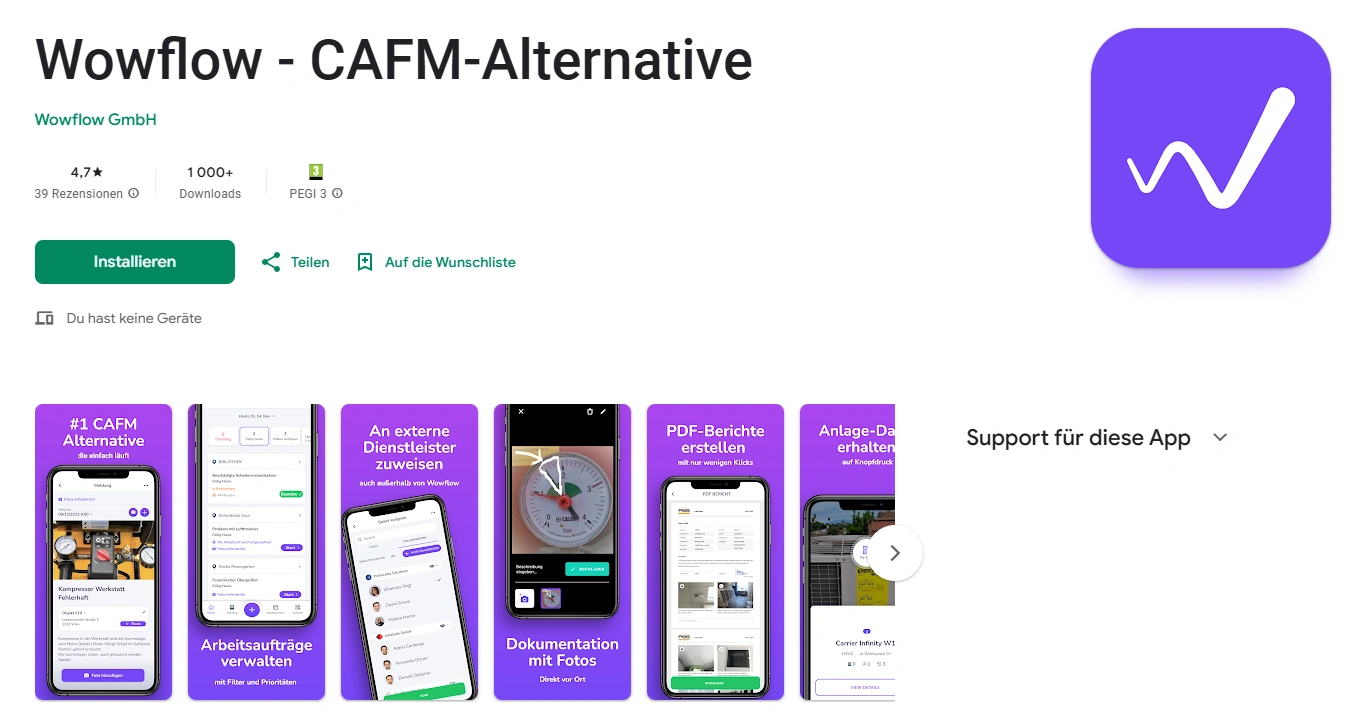
Wowflow is a mobile-optimized app that has been specially developed for building operations in the DACH region. In contrast to traditional, plan-based CAFM systems, Wowflow focuses on what facility management teams really need on a day-to-day basis: Managing tasks, carrying out maintenance, documenting evidence and collaborating with internal and external stakeholders directly via the app.
The solution is aimed at managers from janitor services, property management and technical property management who still work with Excel, WhatsApp or paper and are looking for a pragmatic, ready-to-use solution. Wowflow is completely web-based and optimized for smartphones and tablets: ideal for use in the field.
Main functions:
- Order management & ticketing: create, prioritize, assign and track tasks on the move.
- Asset management & QR codes: Clearly assign buildings, systems and devices and report them quickly.
- Photo documentation & checklists: Record damage, work and inspections directly on site using the app.
- Maintenance & servicing: Planning and documentation of regular maintenance work.
- PDF reporting: Automated reports on tasks, objects and service providers.
- Communication & collaboration: Central coordination with teams and service providers without media disruptions.
- Offline function: work without the Internet, automatic synchronization when connected.
Advantages:
- One of the most modern and at the same time simplest facility management mobile apps on the market
- free of charge 14-day trial access immediately usable, without sales call
- Very high user acceptance: Google Play Store 4.7 / 5.0
- 10+ languages (including German, English, Polish, Turkish, Romanian, Italian, BKS)
- Affordable and simple user structure: fully-fledged app for operational users and free app for external participants
- External service providers can be integrated without a Wowflow account
- Covers all central operational core processes in facility management
- Very short implementation time compared to CAFM systems
Disadvantages:
- No workspace management or energy controlling
- Functional scope is deliberately focused – no deep CAFM detail modules
- No complete customization of individual features
Wowflow is ideal for modern facility management teams who want to digitize their operational processes without having to set up a complex CAFM project. The combination of intuitive app, offline function, multilingualism and fast implementation makes Wowflow particularly attractive for field teams.
Wowflow offers a free 14-day trial access and comprehensive information on the website.
- Can be operated in the browser or via mobile app.
- Google Play Store: 4.7 / 5.0
(39 ratings)
Plan radar
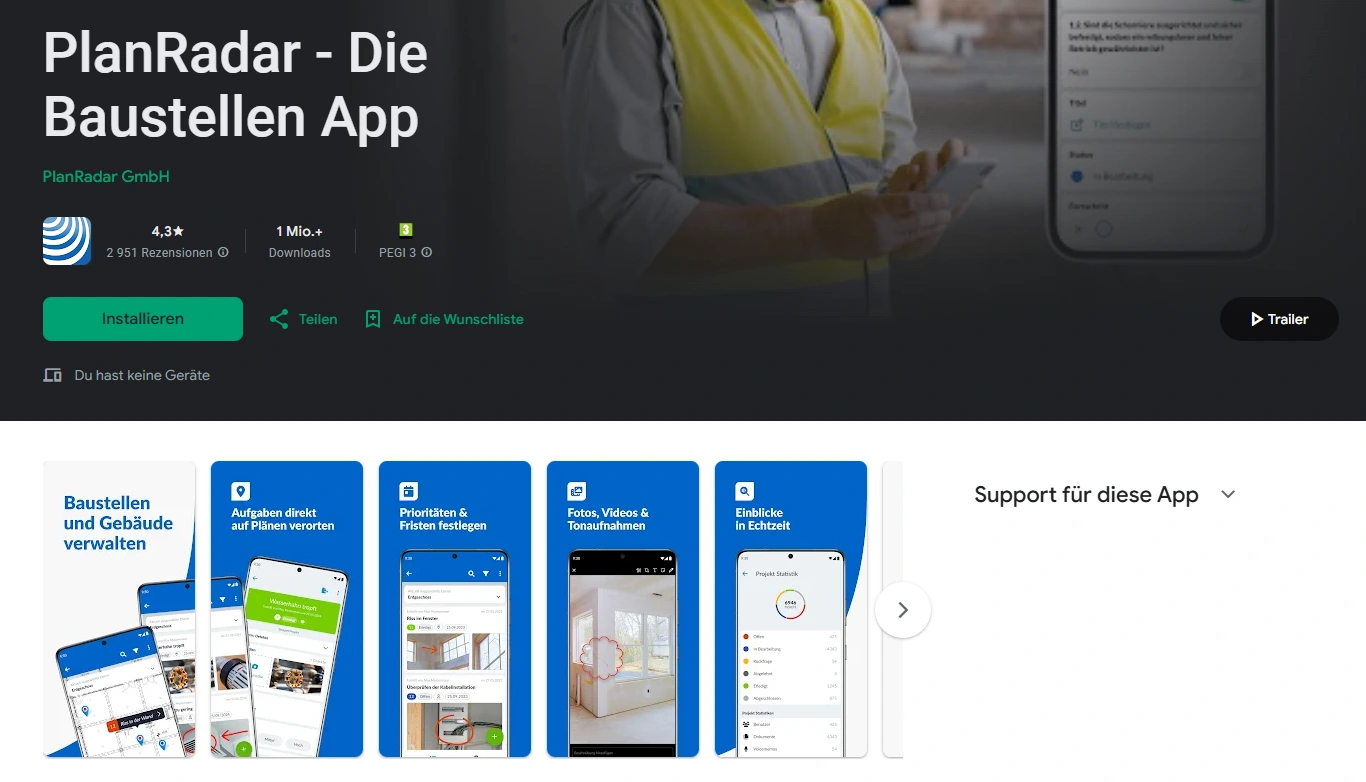
PlanRadar is a solution with a strong focus on plan and BIM-based documentation. The solution originally comes from the construction and project environment, but is also adapted for ongoing building operations, maintenance, inspections and compliance tasks.
The focus is on the mobile app, which can be used to locate and document tasks, defects or inspections directly on 2D plans or BIM models and pass them on to internal and external parties.
Main functions:
- BIM & 2D plan integration: Tasks, defects and maintenance are placed directly on digital plans or BIM models.
- Task and ticket management: recording, prioritization and tracking of maintenance, repairs and inspections.
- Photo documentation & checklists: Documentation of work, inspections and deviations directly on site via app.
- PDF reporting: Automatically generated, customizable reports for forwarding to owners or clients.
- Communication & collaboration: Collaboration with internal teams, service providers and subcontractors in one system.
- Offline function: Working without an Internet connection possible, automatic synchronization when network is available.
- AI assistant (optional): Support for searching, analyzing and evaluating project data, images and documents on the platform.
Advantages:
- Ideal for teams that need to localize problems at specific points in the building
- 30-day free trial, ready to use immediately without a sales call
- Transparent price structure
- Very high market penetration with over 1 million users worldwide
- Particularly strong in documentation, evidence and compliance requirements
Disadvantages:
- No fully-fledged asset management or FM core logic as with CAFM systems
- Their origins and focus lie more in construction and project management than in operational facility management and are often less specialized than app-centric FM solutions for pure building maintenance or daily property duties
- Every user needs a full license, even for simple tasks
PlanRadar is particularly suitable for construction, project and FM teams who need to capture and track tasks visually on plans or in BIM models. For facility management teams, this may not be the optimal tool if they do not need building plans.
- Basic license: from € 26 per user/month
- Starter license: from € 89 per month
- Google Play Store: 4.3 / 5.0
(2,951 ratings)
Planon
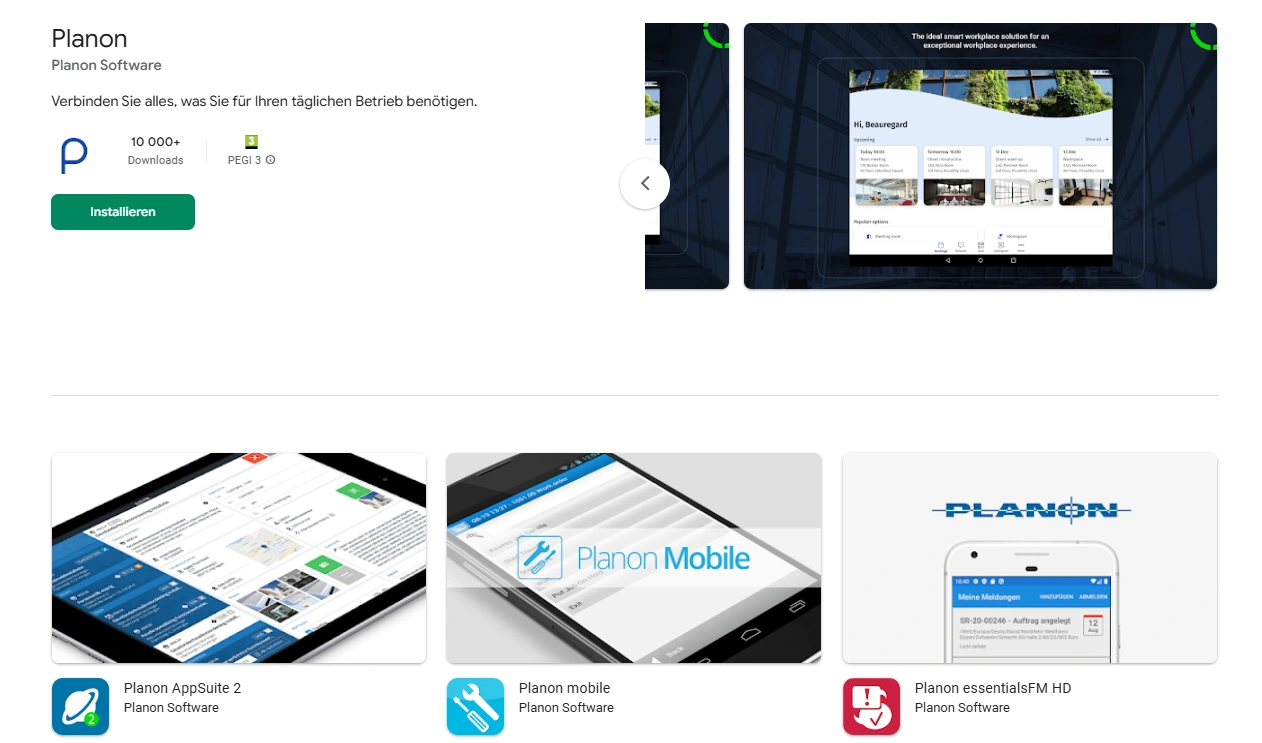
Planon is an internationally established CAFM provider that positions its apps not as stand-alone solutions, but as mobile extensions to a comprehensive CAFM platform. The focus is on covering all strategic, commercial and operational FM processes – especially for large organizations with complex structures.
Instead of a single all-in-one app, Planon offers several specialized mobile apps, each covering different areas of facility management. The full range of functions usually only unfolds in combination with the central Planon CAFM software.
Mobile apps & central functions:
- Workplace management app: focus on workplace & space management
- Room & meeting room booking: book and manage meeting rooms directly via the mobile app
- Service requests & ticketing: Mobile recording of service requests and tickets, including QR code integration
- Facility Management App: Comprehensive mobile app for order management, maintenance & repair
- Photo documentation & checklists: Documentation of work, inspections and deviations directly on site via app.
- Mobile documentation and reporting app: Focus on photo documentation, inspections and reporting, especially for standardized testing and verification processes.
Advantages
- Several specialized apps for different FM roles and use cases
- Powerful CAFM platform in the background, including GEFMA certification
- Very broad coverage of all areas of technical, infrastructural and commercial facility management
- Established market leader with a high level of industry expertise
- Partially modern user interfaces in newer app versions
Disadvantages
- Some apps appear functional, but their user interfaces may be perceived by some as rather traditional or outdated.
- No direct app test without contact with sales
- No transparent price information
- Potentially high implementation and project costs, as the apps usually require the introduction of Planon CAFM software
Planon is particularly suitable for large organizations that want to control all aspects of facility management centrally and are ready to implement a comprehensive CAFM project. The mobile apps are powerful, but primarily develop their added value as part of the overall platform.
- No publicly available price information
- No ratings in the Google Play Store
RIB FM
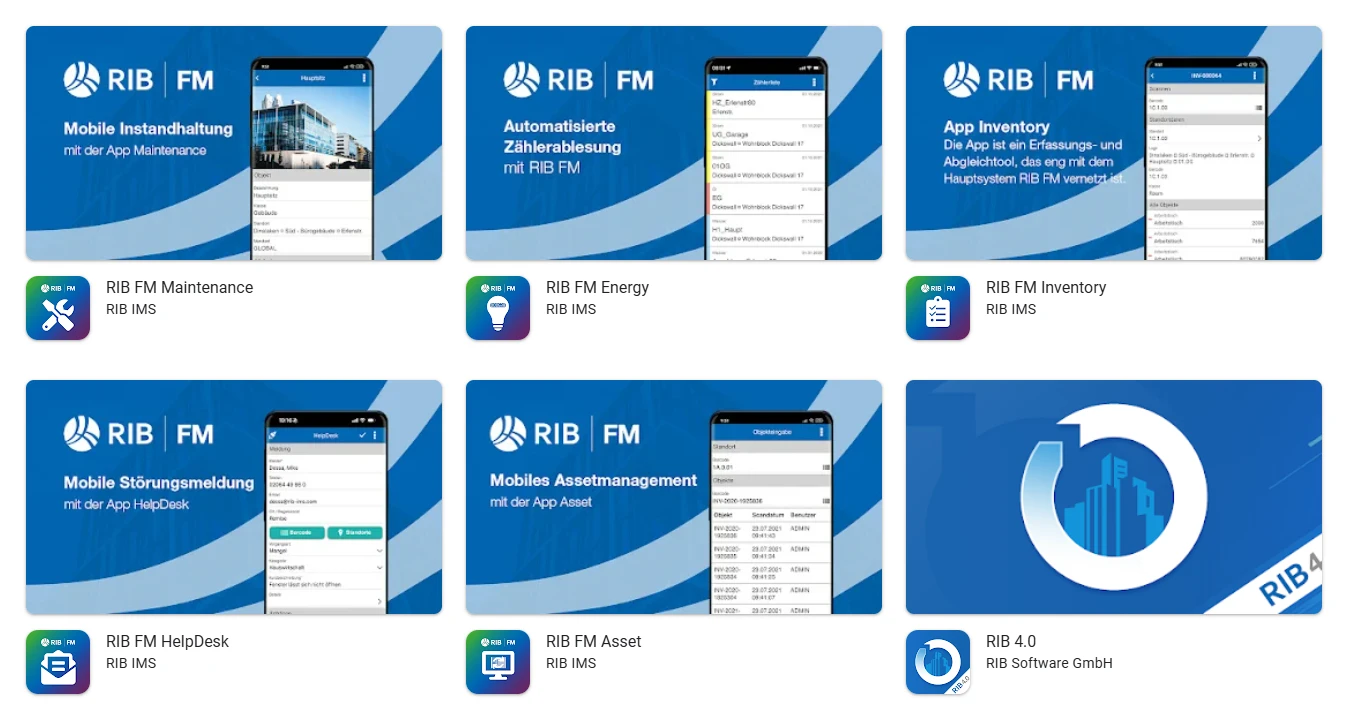
RIB IMS positions its apps for facility management not as stand-alone solutions, but as native mobile extensions of the CAFM software RIB FM (iTWO fm). The focus is on integrating complex facility management processes into the central CAFM system in a mobile, offline-capable and real-time manner.
Instead of an all-in-one app, RIB IMS pursues a modular approach with function-specific individual apps that are specifically tailored to operational roles such as technicians, cleaning teams, site managers or warehouse managers. The full added value is only created in interaction with RIB FM as a central control and data management system.
Main apps:
- RIB FM Maintenance: Mobile maintenance: Processing of maintenance, faults and work orders, time recording, photo documentation and feedback on orders.
- RIB FM HelpDesk: Mobile recording of fault messages, service requests and tickets including photos with direct connection to the central CAFM system.
- RIB FM Inventory: Mobile inventory and stock reconciliation with barcode/scanner support and workflow-based process management.
- RIB FM Asset: Mobile recording and reallocation of facilities and assets, e.g. after relocations or reorganizations.
- RIB FM Warehouse: Warehouse and material management: goods receipt, stock transfer, issue, return and inventory including paperless receipts.
- RIB FM QualityControl: Mobile quality checks (e.g. cleaning, maintenance, green maintenance) with evaluation logics, photos and direct derivation of measures.
- RIB FM Energy: Mobile meter reading (electricity, gas, water, heat) by photo with direct transfer to the energy management module.
Advantages:
- Several specialized apps for different FM roles thanks to 35 RIB FM modules
- GEFMA 444 certified
- Strong aptitude for technical, infrastructural and commercial facility management
- Established market leader with a high level of industry expertise
- BIM-, IoT- and smart building-capable, incl. AI-supported maintenance
Disadvantages:
- Relatively low popularity of their individual apps (over 100 downloads in the Play Store)
- Requires the comprehensive implementation of RIB FM
- Many separate apps can lead to complexity and training costs in everyday life
- No direct app test without sales contact
- No transparent pricing, entry often project and consulting intensive
- Possibly higher implementation costs
RIB IMS is a CAFM mobile suite for organizations that require deeply integrated, standards-compliant and scalable facility management processes. Particularly suitable for large portfolios and complex structures, less so for teams looking for a quick-to-use, simple facility management app for Android.
- Free version available
- No ratings in the Google Play Store
firstaudit
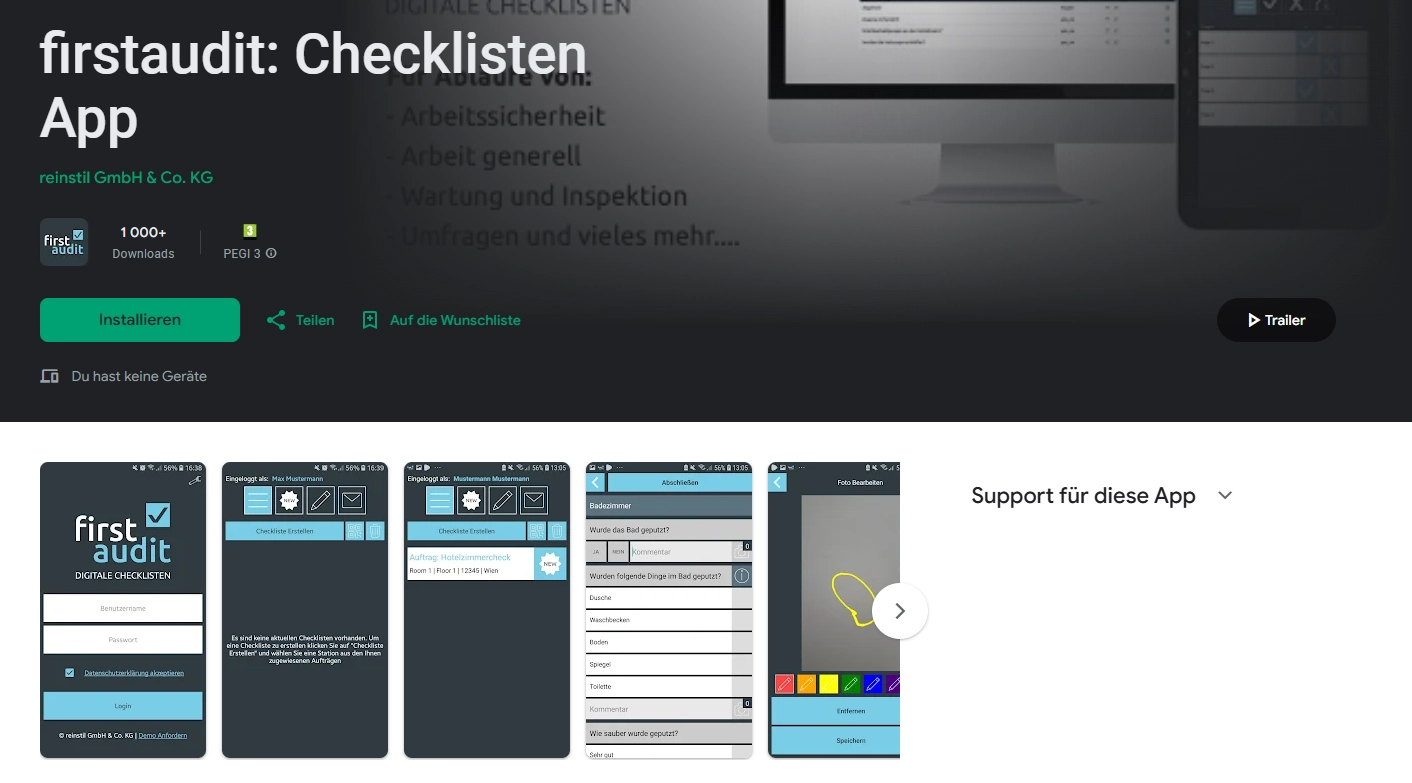
firstaudit is an app with a clear focus on checklists, inspections and audits. The solution is aimed at facility managers, property managers and operational teams who want to map recurring inspection, control and documentation processes directly in the app.
The focus is on the mobile execution of inspections: Property inspections, cleaning and safety checks, quality inspections and defect reports are carried out completely paperless via smartphone or tablet. The app replaces forms and inspection reports with digital workflows that are supplemented by evaluations, action tracking and simple team coordination.
Main functions:
- Digital checklists & forms: Modular system for simple checklists through to complex inspection and audit processes.
- Mobile implementation of inspections: Document inspections and checks directly on site – including photos, videos and comments.
- Workflow and action control: tracking of tasks, incidents and corrective actions in the app.
- Offline function: Full usability without Internet connection, automatic synchronization when reconnecting.
- Cross-platform usability: Use on smartphone, tablet and desktop for office and field service.
Advantages:
- App focus on inspection, control and documentation with high flexibility for individual checklists without programming
- Ideal for teams with a high proportion of testing and auditing in their day-to-day business
- Possibly faster implementation than other CAFM tools
- Offline-capable and therefore suitable for properties with poor network coverage
- Affordable entry thanks to free version and transparent prices
Disadvantages:
- Modules such as asset management, maintenance planning, contract or space management are missing.
- Focus is on operational execution and control, less on planning
- No reviews available in the Google Play Store
firstaudit is a very app-centric solution for testing, inspection and audit processes in facility management. Particularly suitable for maintenance, cleaning and inspection teams who need to perform and document checks on mobile devices. Possibly less suitable for facility management teams that need to cover operational aspects outside of inspections or checklists.
- Free version available
- Standard license from approx. 12 € per month
- No ratings in the Google Play Store
ImmoTrack
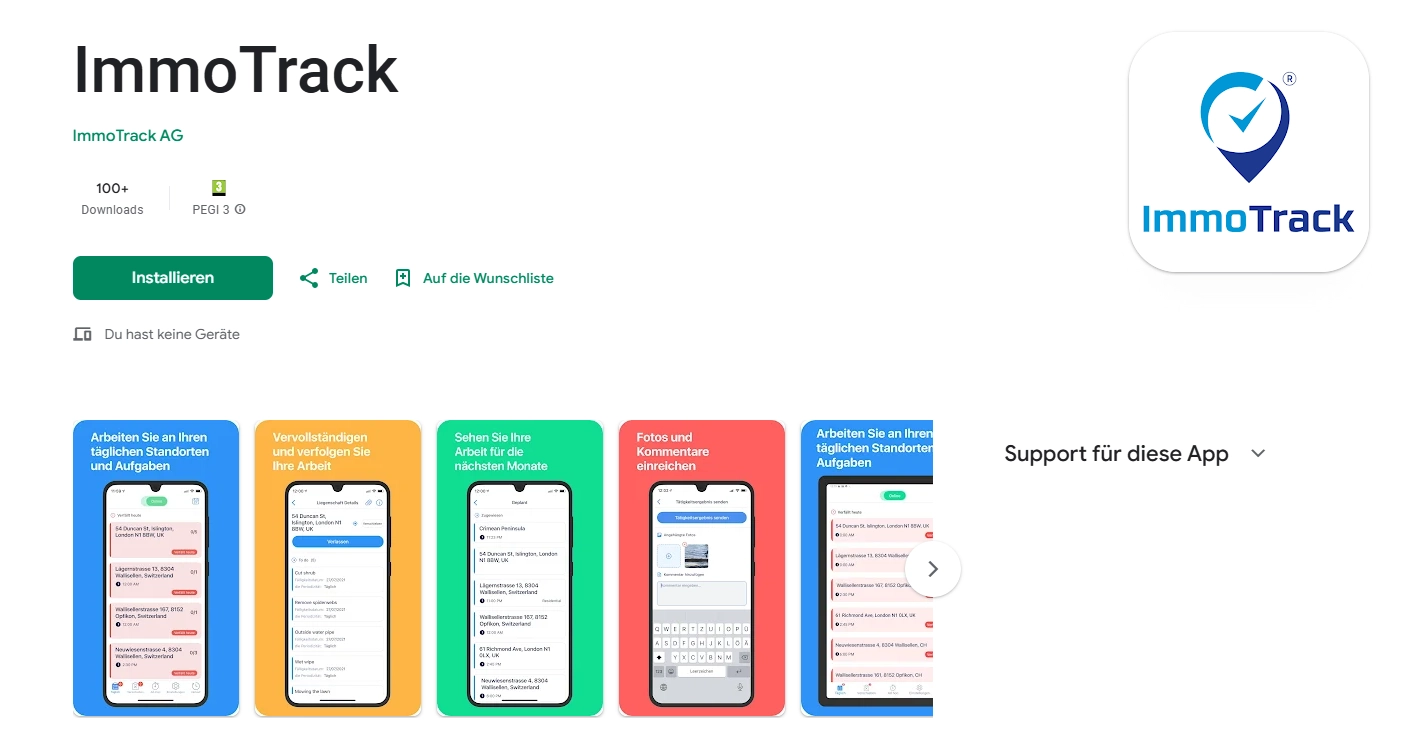
ImmoTrack is a facility management app with an approach that has been specially developed for operational property maintenance in the field. The focus is not on managing complex master data, but on the daily execution, control and documentation of work on the smartphone.
The app fully digitizes specifications and combines them with automated assignment and route planning, a real-time overview and photo documentation. Employees receive their tasks directly and in a structured manner in the app – including priority, deadline and property reference. ImmoTrack is therefore primarily aimed at caretaking, property management and FM service providers who need to coordinate recurring activities across several properties.
Main functions:
- Mobile task management: tasks are automatically displayed on the smartphone – including priority, deadline and property reference.
- Digital specifications: Recurring tasks (e.g. cleaning, green maintenance, maintenance) appear directly in the app according to a defined schedule.
- Automated deployment & route planning: The app takes into account location, urgency and duration of work and dynamically adjusts daily schedules.
- Photo documentation & status reports: Tasks are completed on site and documented directly by photo.
- Real-time overview & GPS tracking: The current status of employees and tasks is visible at all times, including navigation to the next property.
- Offline function: Working without network coverage possible, automatic synchronization when connected.
Advantages:
- Employees receive structured tasks directly on their smartphone and tasks appear automatically
- Modern, clear app design
- Specifications are mapped completely digitally and automatically translated into daily tasks
- Automated deployment and route planning
- Real-time overview, GPS tracking and complete photo documentation
- Offline-capable and therefore practical for use in the field
Disadvantages:
- Fewer functional components (such as space management, contract management, asset lifecycle management) than in traditional CAFM systems.
- No transparent price information
- No direct app test without contacting us
- Relatively low popularity of their individual apps (over 100 downloads in the Play Store)
ImmoTrack is an app for operational deployment and route planning. It is particularly suitable for janitors and FM service providers who have to carry out many recurring tasks across several properties efficiently, mobile and traceably. However, the solution is only suitable to a limited extent for organizations with complex technical systems.
- No public price information available
- No ratings in the Google Play Store
SmapOne
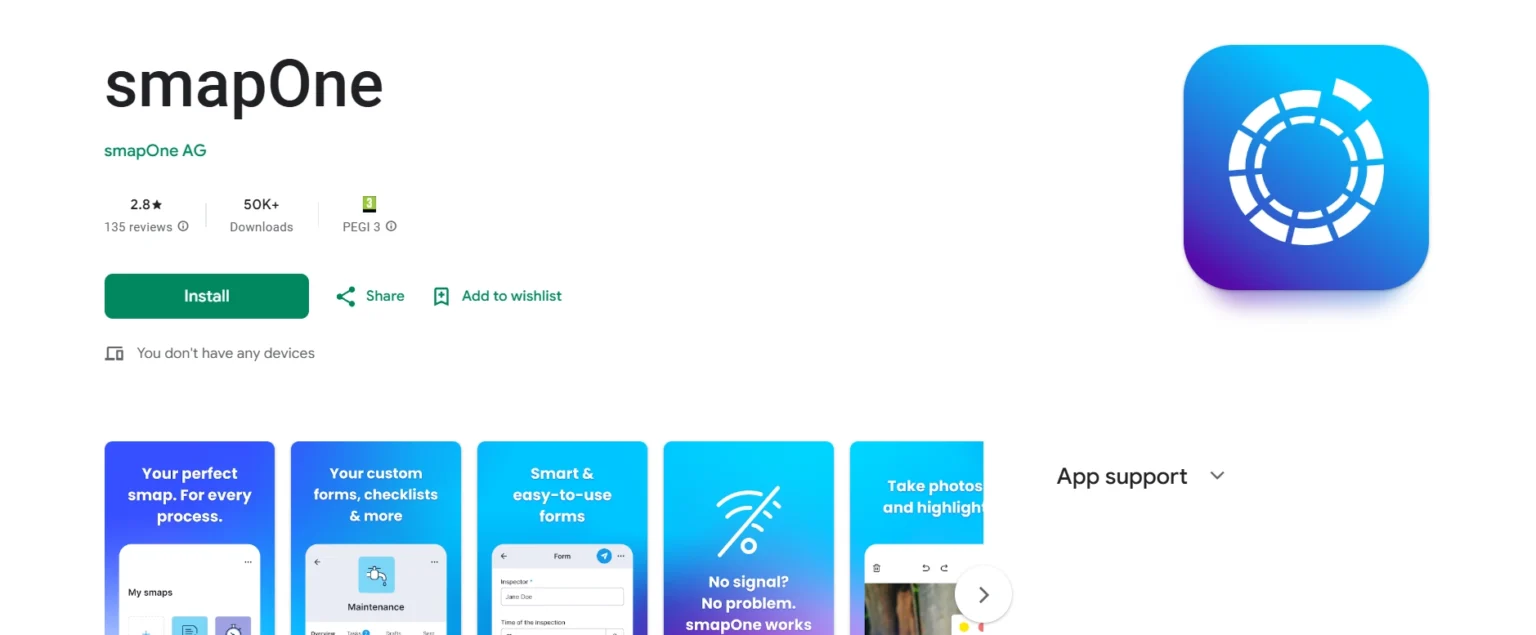
smapOne is not a traditional app for facility management, but a platform that allows companies to create their own facility apps. The focus is on the digitalization of operational, previously paper-based processes in facility management, such as checklists, logs, damage reports, meter readings and maintenance records.
Instead of introducing predefined FM software, smapOne enables specialist departments such as facility managers, property managers or technical teams to build and continuously develop individual mobile apps (“smaps”) themselves without any programming knowledge. As such, smapOne is primarily aimed at organizations that want to digitalize very specific processes and are prepared to design and maintain these processes independently.
Main functions:
- No-code app builder (drag & drop): Create your own apps for forms, checklists, logs and reports.
- Mobile use on all devices: Use on smartphone, tablet and desktop – optimized for operational use on site.
- Offline data acquisition: work possible without an Internet connection, automatic synchronization when reconnected.
- Multimedia capture: photos, sketches, text, audio recordings and signatures directly in the process.
- Evaluation & reporting: Central data evaluation in the portal, export as PDF or Word, automatic e-mail dispatch, reports in corporate design.
- AI support (preview): Text-to-app, PDF-to-app and best practice suggestions for faster app creation.
Advantages:
- High flexibility for operational FM processes that can be adapted to requirements
- No programming knowledge required – specialist departments digitize themselves
- Very fast implementation: first apps can be used productively in a short time
- Powerful for construction sites, inspections and mobile applications
- Apps can be used online and offline
Disadvantages:
- Fewer functional components than in traditional CAFM systems.
- Data is organized by process and app, not as a central “single source of truth”.
- The higher the desired level of customization, the more planning, governance and maintenance are required.
- Not particularly high ratings for the mobile app in the Google Play Store
- No transparent price information
smapOne is a modular app system for individually developed FM applications. It is ideal for teams with very specific processes that require maximum design freedom and are prepared to develop and maintain their apps themselves. However, for organizations looking for a standardized solution that can be used immediately, the effort involved may often be too high.
- Possibility to test the app free of charge
- Google Play Store: 2.8 / 5
(135 ratings)
GetFM
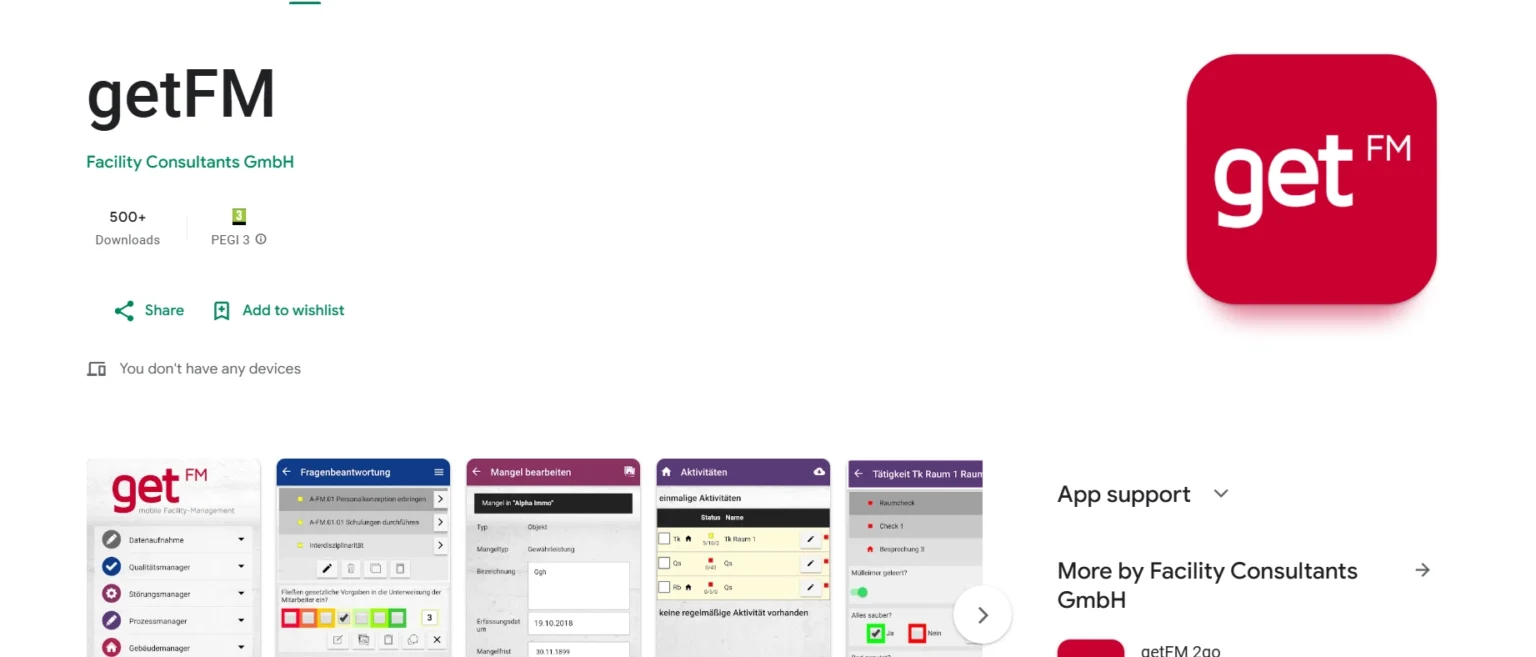
getFM is a web-based facility management software with an integrated mobile app that is designed as an operational tool for use on site. The app maps central FM processes on a mobile basis and serves as an interface between field service, administration and the CAFM backend.
The focus is on the mobile implementation of documentation, inspections, defect processing and quality assurance directly in the property. The getFM app requires a licensed getFM CAFM system and supplements it with a practical, mobile interface.
Main functions:
- Mobile object and system recording: recording of objects, buildings, rooms and technical systems directly in the app.
- Defect & fault management: Creation, processing and documentation of defects and faults, including photos.
- Activities & controls: Mobile processing of visual inspections, activities and documentation processes.
- Quality assurance: evaluation of processes and external services, including the derivation of measures.
- Barcode and beacon support: identification of facilities, rooms and equipment; creation and use of barcode labels.
- Inventory and equipment management: recording, managing, issuing and categorizing equipment and devices.
- Photo documentation: Photos can be taken directly and clearly assigned to functions, processes or systems.
Advantages:
- Suitable for owners, administrators and service providers who need structured documentation
- Intuitive operation and practical design
- Information is recorded on site and evaluated centrally
- Internal employees and service providers work on the same platform
Disadvantages:
- Mission and route planning are not the primary focus of the solution
- Supplementary software can be useful for very complex industrial or campus structures
- A non-binding test of the app is usually only possible in the context of an existing getFM system
- No transparent price information
getFM is particularly suitable for organizations that want to make a CAFM system usable on mobile devices and attach importance to documentation, controls and quality assurance in the app. The solution is practical, clear and powerful in operational use, but does not offer a free trial phase.
- No possibility to test the app for free
- No transparent price information
- No ratings in Google Play
Conclusion: Which app suits whom?
The comparison shows: The right facility management mobile app depends heavily on the specific area of application. While CAFM-oriented solutions such as Planon or RIB FM are suitable for large organizations with complex structures, specialized apps such as PlanRadar, firstaudit or ImmoTrack address operational use cases such as documentation, inspections or resource planning. Modern facility management teams often opt for Wowflow as it covers all key facility management modules and offers a simple and intuitive user interface.
However, for many companies in the DACH region that still work with Excel, WhatsApp or paper, the focus is on mobile, quickly deployable solutions. The decisive factor here is less the size of the company and more the question of which tasks should be mapped digitally in day-to-day operations.
As requirements, processes and teams vary greatly, it is advisable to test solutions in real operations. Wowflow, for example, offers the option of testing the mobile app for Android or iOS free of charge for 14 days free of charge during operation – without a sales call and without obligation. This allows you to quickly determine whether the solution meets your own requirements. Further information can be found on the website.
FAQ
What is a facility management app?
It is a mobile or cloud-based software that can be used to digitally organize tasks relating to buildings. This includes maintenance, repairs, inspections and documentation. Employees can process jobs directly on their smartphone or tablet, take photos, create reports and share information with the office.
This creates clear and complete documentation, for example for inspection obligations or building security. Depending on the solution, facility management apps offer additional functions such as system overviews, cost control or the recording of energy consumption.
What is the difference between CAFM and a facility management app?
CAFM software is a system for centralized building management. It is primarily used for planning, costs, contracts, areas and facilities and is usually aimed at larger organizations with complex structures. A facility management app, on the other hand, focuses on field service: processing tasks, documenting maintenance, taking photos and sharing information on the move. Many apps can be used quickly or serve as a mobile supplement to a CAFM system for the field service.
For whom is a facility management app worthwhile?
The app is worthwhile from the very first property, as soon as several employees or external service providers are in use and regular tasks arise. Typical users are janitor services, facility service providers, technical property management companies, cleaning companies and companies with multiple locations. It is particularly useful if you have been working with Excel lists, WhatsApp or paper.
What does a facility management mobile app cost?
The costs depend on the provider, the range of functions and the number of users. A monthly fee is usually charged per active user. With Wowflow, it costs €39.90 per month for continued use; employees can use the app free of charge. Many providers offer a free trial period to try out the app in everyday use.
Are there free versions of apps?
Some providers offer free versions as part of their overall package. However, these are often very limited and only suitable for daily use to a limited extent. There are usually free test phases in which all functions can be used for a limited time. This makes it easy to check whether the selected app is suitable for your own processes. Wowflow, for example, offers free licenses for external employees as well as a free test phase in which you can try out the software yourself.